Choosing a printer is not just about how fast it prints it is also about how much you spend on printing over time. For users who print regularly, a refillable ink tank system can help keep printing costs manageable while reducing the need to frequently replace cartridges.
Brother’s Ink Tank printers are designed around high-yield, refillable ink bottles, making them a practical choice for homes, students, small businesses and offices with regular colour printing needs. Here is a closer look at five Brother Ink Tank models and what each one can offer.
What Performance Really Means
Specifications are more useful when you understand what they mean for everyday printing.
• High-yield Ink: The ink tank printers come with bottles that print up to 7,500 pages in black and 5,000 in colour, making them suitable for regular printing while reducing the need for frequent refills.
• Quick everyday speed. Most home focused models print upto 16 images a minute. The MFC-T930DW reaches upto 17ipm, while the A3 HL-T4000DW reaches upto 22ipm.
• Clear colour output: With resolutions of up to 1200 × 6000 dpi on selected models, Brother Ink Tank printers can produce detailed documents, school projects and colour materials.
• Easy refilling. A transparent front tank lets you see your ink level at a glance and refill neatly.
• Simple connection. Most models offer Wi-Fi, Wi-Fi Direct and mobile printing, allowing users to print from compatible smartphones, tablets and computers without relying only on a USB connection.
Five Options, and Who Each One Suits
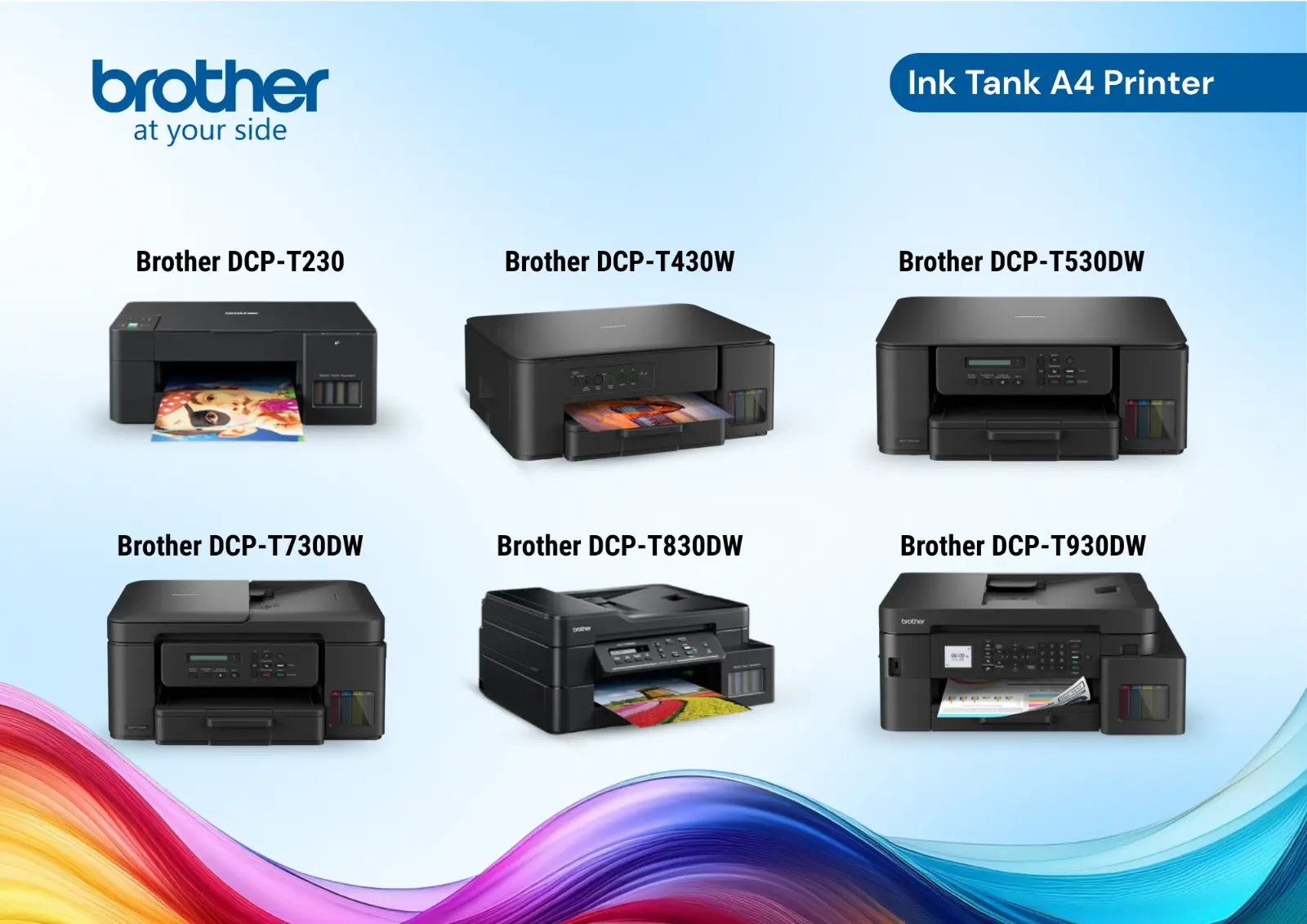
1. Brother DCP-T230: Simple Everyday Printing
For basic home or student requirements, the DCP-T230 provides printing, copying and scanning in a straightforward package. Its 150-sheet paper tray makes it suitable for regular document printing, while USB connectivity keeps the setup simple.
2. Brother DCP-T530DW: Duplex Printing
The DCP-T530DW adds Wi-Fi and automatic two-sided printing, making it a practical choice for students, families and home users who regularly print assignments, reports and other documents. Duplex printing can also help reduce paper usage over time.
3. Brother DCP-T730DW: For Regular Scanning and Copying
Everything the T530DW offers, plus a 20-sheet automatic document feeder. Copy or scan a stack of pages in one go, print from anywhere with email printing, and use the Mobile Connect app, AirPrint or Mopria from your phone. Two black ink bottles come in the box, each good for up to 7,500 pages.
4. Brother MFC-T930DW: For Busy Offices
Print, copy, scan and fax in one machine, with a 20-sheet document feeder, automatic duplex, Wi-Fi and a LAN port. An 80-sheet multi-purpose tray adds flexibility, and the black ink bottles deliver up to 15,000 pages. A great fit for small offices, clinics and shops.
5. Brother HL-T4000DW: When A3 Printing Matters
For posters, drawings, spreadsheets and design layouts, the HL-T4000DW provides A3 colour printing. It has a 250-sheet paper tray and a 100-sheet multi-purpose tray, along with Wi-Fi, Ethernet and automatic two-sided colour printing.
At a Glance
|
Model |
Best for |
Print speed (Mono / color) |
Wi-Fi |
|
DCP-T230 |
Simple home use |
16 / 9 ipm |
USB connection |
|
DCP-T530DW |
Home & student printing |
16 / 9 ipm |
Yes |
|
DCP-T730DW |
Printing, copying & scanning with ADF |
16 / 15.5 ipm |
Yes |
|
MFC-T930DW |
Busy small offices |
17 / 16.5 ipm |
Yes |
|
HL-T4000DW |
A3 and larger jobs |
22 / 20 ppm |
Yes |
How to Choose
Start with what you print most often. The DCP-T230 is ideal for light home use. Choose the T530DW if wireless printing and automatic duplex are important, or the T730DW if you if you regularly scan and copy multiple pages. For a busier office environment, the MFC-T930DW offers broader functionality and connectivity. And if your work goes beyond A4, the HL-T4000DW is designed for A3 colour printing.
The best choice is ultimately the one that matches your printing volume, required functions and paper size.
Explore the Brother Ink Tank range
Looking for a Brother Ink Tank printer in Nepal? Explore the available range through Baleyo and choose a model based on your everyday printing requirements. For assistance, contact Baleyo's corporate sales team at +977-9801132925 or visit the Baleyo office in Kalanki, Kathmandu.